

High ping in World of Warcraft: Forever can make even simple quests frustrating. You click an ability, but nothing happens. Enemies suddenly jump across the screen, or the game disconnects just as a fight begins. For European players, these symptoms may be related to local networks, internet routing, or game-server conditions.
The good news is that not every lag problem requires a complicated fix. Here’s how to identify the cause and make your connection more stable.
Why WoW: Forever Players Are Experiencing Lag in Europe
Server conditions and regional connections. High player activity, especially during peak gaming hours, can put additional pressure on game servers. European players may experience higher latency, delayed responses, or temporary connection instability when servers are under heavy load.
Network routing. Your internet provider does not always send game data along the most efficient path to WoW: Forever servers. Congested or indirect routes can increase latency, cause ping spikes, and affect overall connection stability.
ISP and home-network instability. Busy evening periods, Wi-Fi interference, packet loss, and simultaneous downloads can create sudden delays. Server congestion or maintenance may also cause problems that players cannot fix locally.
Common WoW: Forever Connection Problems
Different symptoms can point to different causes:
- High ping: Abilities, movement, and interactions feel consistently delayed.
- Ping spikes: Gameplay feels normal until latency suddenly jumps for several seconds.
- Delayed actions: Spells activate late, enemies stop responding, or quest NPCs cannot be interacted with.
- Disconnects: The game drops your connection, sometimes during a dungeon or combat encounter.
- Unstable connection: Characters rubber-band, freeze in place, or appear to teleport.
In WoW, check both Home and World latency from the game menu’s network display. World latency is particularly useful when investigating delayed combat and character movement. If FPS is low but your latency stays steady, investigate graphics performance instead of network routing.
How to Fix WoW: Forever High Ping and Lag
1. Check the server first. Review Blizzard’s official announcements and support channels for outages, maintenance, or known issues. If many players are affected simultaneously, waiting for a server-side fix may be necessary.
2. Stop background downloads. Pause Battle.net updates, cloud synchronization, streams, and large downloads on other devices. Restart Battle.net and your router if the connection has been unstable.
3. Switch to a wired connection. Connect your PC to the router with an Ethernet cable. This avoids common Wi-Fi interference and can reduce jitter or packet loss.
4. Test Your WoW: Forever Ping Online.
Before making changes to your connection, it’s helpful to check your current latency. You can use the free WoW: Forever Ping Test from LagoFast to estimate your ping and compare local network routes with optimized routes directly in your browser, without downloading any software.
The results can help you identify potential routing issues and decide whether connection optimization is worth trying. Keep in mind that online ping estimates may differ from your actual in-game latency.
5. Optimize Your Connection with LagoFast
If high ping or unstable routing continues to affect your gameplay, LagoFast can help optimize your connection to WoW: Forever servers. By selecting a more efficient network route, it may help reduce latency, packet loss, and unexpected disconnects.
Exclusive Offer: WoW: Forever players can use the discount code KamiLabs to enjoy a special discount on LagoFast. Simply enter the code when subscribing through the LagoFast app or the official website.

How to Use LagoFast for WoW: Forever
LagoFast is designed to optimize the path game traffic takes across the network. If you suspect poor routing is contributing to high ping, you can test an alternative route in a few steps:
- Visit the LagoFast download page and install the Windows application.
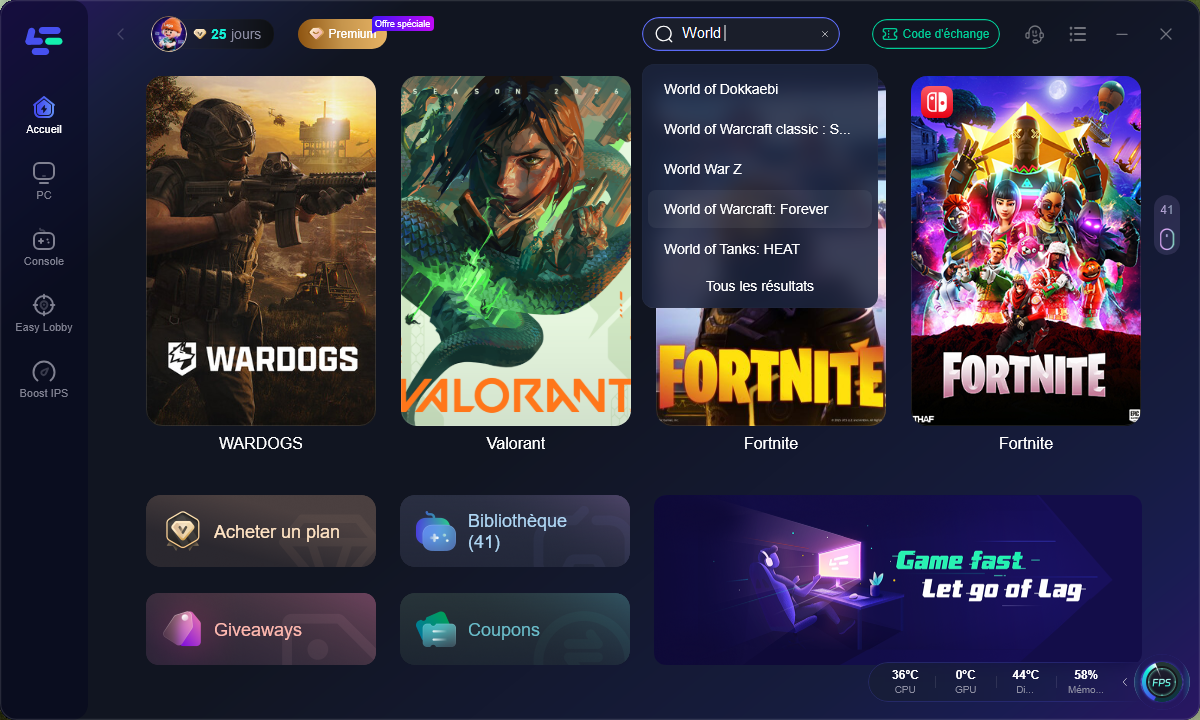
- Open LagoFast and search for World of Warcraft: Forever.
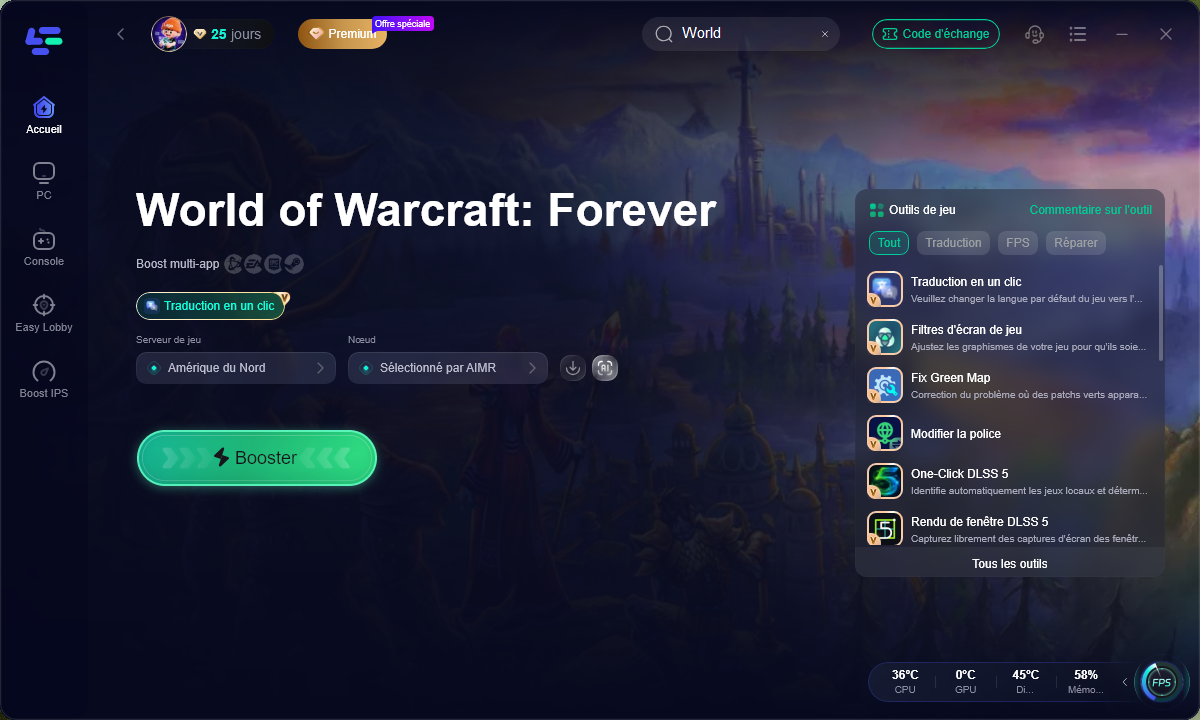
- Choose an available server region or recommended connection route.
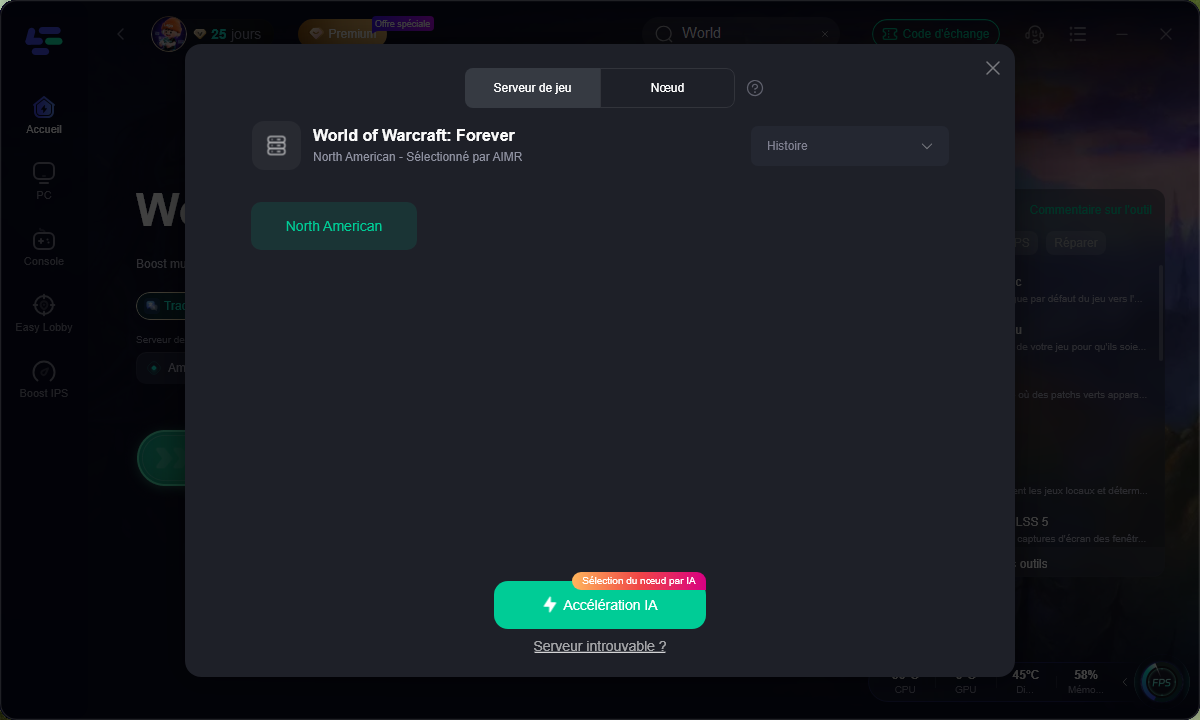
- Click AI Boost to activate route optimization.
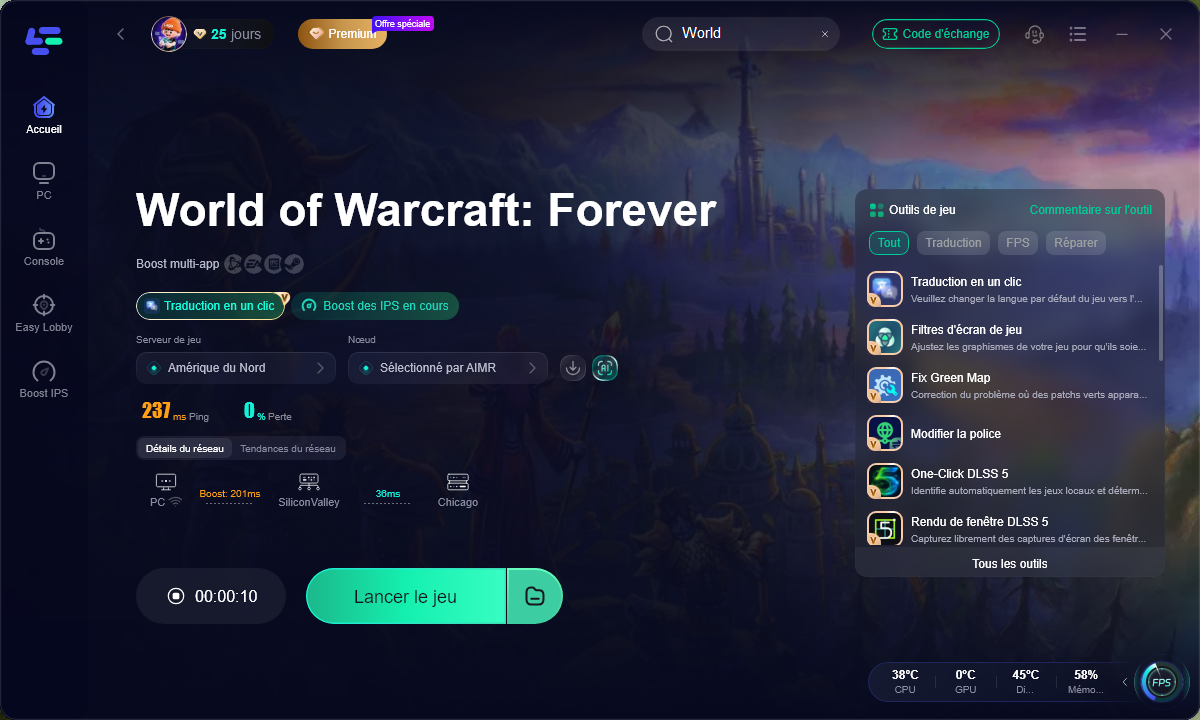
- Launch WoW: Forever and compare latency, spikes, and disconnections with your previous session.
Test the same zone or activity before and after optimization for a fair comparison. Choose the route that provides the most stable experience, not necessarily the lowest number on one reading.
Final Thoughts
High ping and connection issues can seriously affect your WoW: Forever experience, especially during intense battles and peak gaming hours in Europe. Start by checking server status, reducing background network usage, and testing your latency to identify the cause.
If unstable routing or persistent lag continues to disrupt your gameplay, LagoFast offers an easy way to optimize your connection and potentially reduce ping, packet loss, and connection instability. With a more stable connection, you can spend less time troubleshooting and more time enjoying WoW: Forever.
Partner article – this content was published as part of a paid commercial partnership. It does not reflect the views of the Kami-Labs editorial team.






0 Commentaires
Aucun commentaire pour le moment. Soyez le premier à commenter !