

About 55 GB a day: that is what the atieclxx.exe process installed with the AMD driver (Adrenalin) writes on an idle test PC. According to a user’s analysis published on GitHub, it copies its own executable (677 KB) to the system drive roughly once per second. AMD listed the flaw among the fixed issues in Adrenalin 26.11.1, released on November 12, 2026.
The figure calls for two caveats. It comes from the process’s input/output counter (what Windows attributes to it), not from a measure of SSD wear; the SSD is the flash-memory drive that replaced the hard disk. In Process Monitor, a Microsoft tool that traces disk access, the repository’s author sees about 0.48 MB/s reaching the SSD, and the README’s “about 20 TB a year” is that author’s own estimate. Not every PC is affected: the same repository lists owners of identical cards who see no abnormal writes.
A 677 KB copy every second
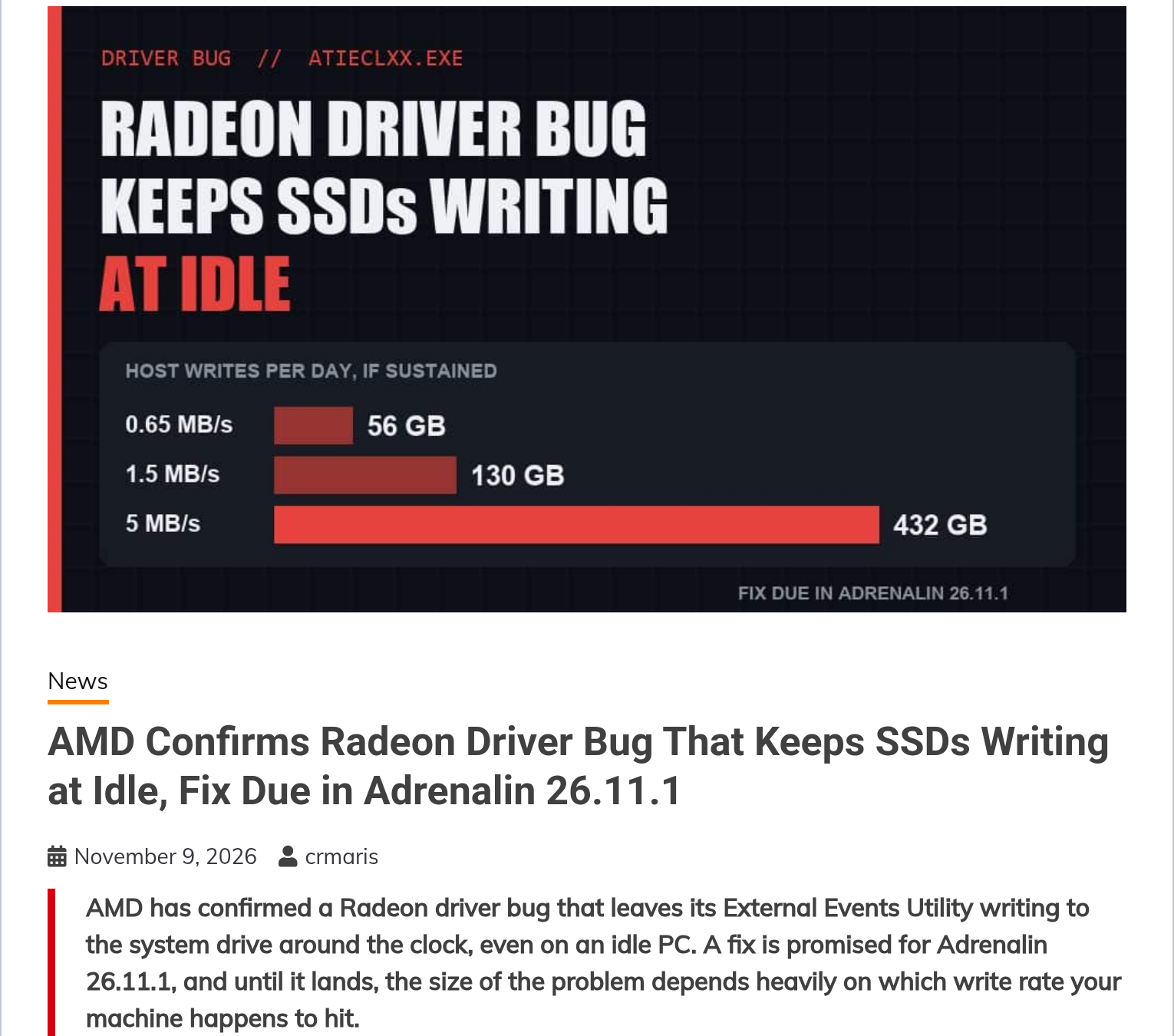
atieclxx.exe is the AMD External Events Client Module, a small service installed with every AMD Adrenalin driver. According to HWBusters, it handles detection of connected displays, Radeon Software hotkeys and part of FreeSync. On affected PCs, it never stops writing to the system drive: 0.3 to 1.5 MB/s in most user reports, about 5 MB/s for one of them.
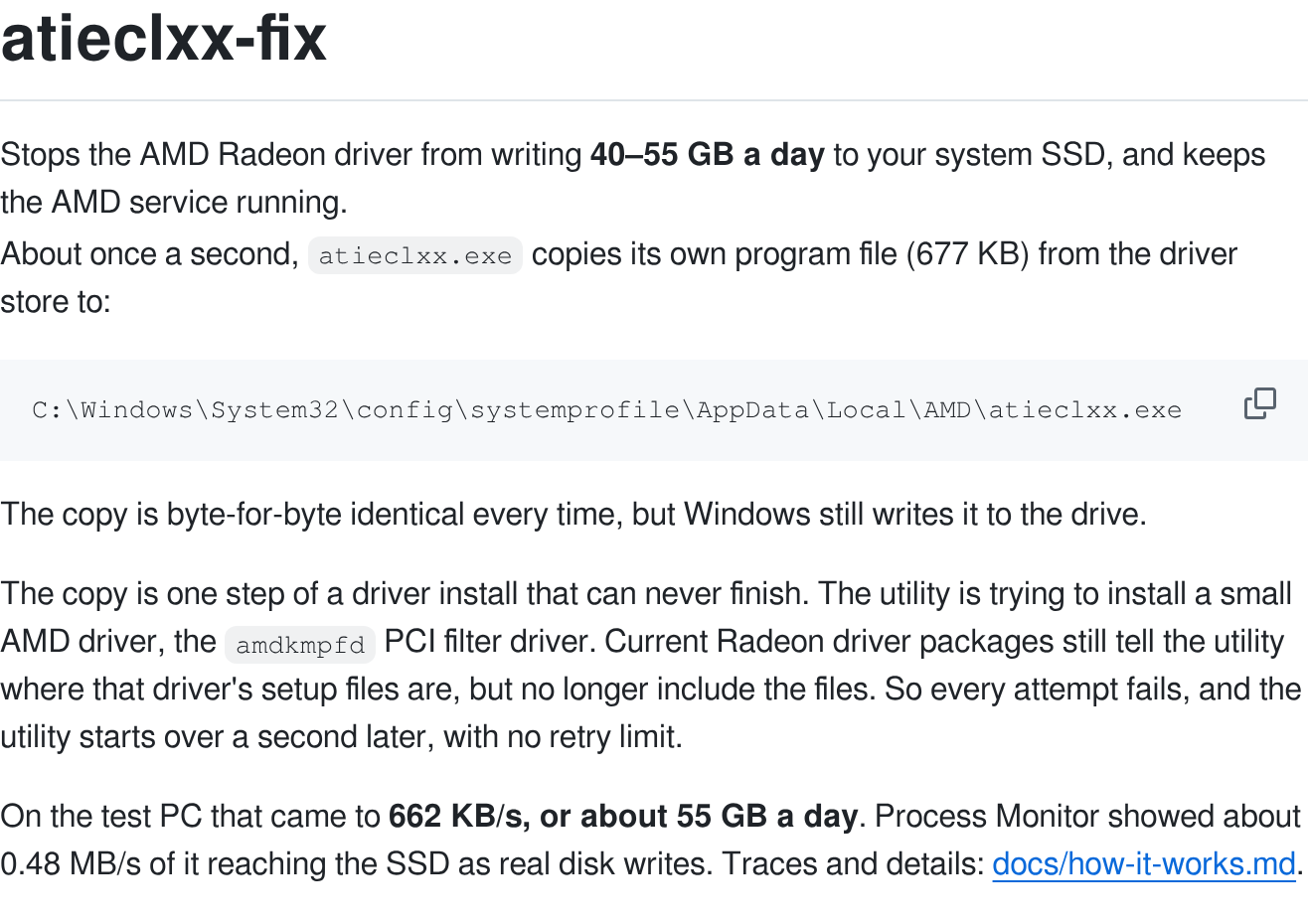
According to the GitHub repository, the cause is a driver installation that cannot succeed. The service tries to install a small filter driver, amdkmpfd (a component that sits between Windows and the card). Current Radeon packages still say where its files should be, without containing them: each attempt fails and starts again one second later, with no retry limit, and the service copies its executable into the SYSTEM account’s profile on every pass. Separately, an AMD representative attributed the behavior on Reddit to an interaction with Microsoft’s PCIe filter driver, HWBusters reports.
On October 21, 2026, another AMD representative answered complaints by saying AMD was “looking into it with the aim to resolve it in a future driver release,” again according to HWBusters. The AMD driver flaw is not new: users report it on versions ranging from 26.5.1 to 26.10.2, according to the repository.
Check on your PC in one minute
The check is done in Windows 11’s Task Manager, with no tool to install. The site has not reproduced the bug: what follows is a procedure, not a finding. The labels are given by their official English names in Windows 11.
- Press Ctrl + Shift + Esc to open Task Manager.
- In the left-hand menu, click “Details.”
- Right-click a column header, for example “Name,” then choose “Select columns.”
- Tick “I/O write bytes” and confirm. Do not confuse it with “I/O writes,” which counts operations, not bytes.
- With the PC idle, find
atieclxx.exeand note the value, then read it again a minute later.
| Label in Windows 11 | What it shows |
|---|---|
| Details | The page listing every running program with its counters |
| Select columns | The right-click option that adds a counter to this list |
| I/O write bytes | The total bytes written by the process: the one to watch |
| I/O writes | The number of write operations, without the volume in bytes |
This counter accumulates bytes since the process started: it is the progression that matters. On the repository’s test PC, it reaches about 660 KB per second, nearly 40 MB per minute. A value that barely moves suggests an unaffected machine. The repository describes the same method (Task Manager, Details, I/O write bytes) and also offers a 15-second measurement script.
20 TB a year on an SSD rated for 600 TB
Do the math with the repository’s estimate, about 20 TB a year. Manufacturers state their SSDs’ endurance rating (TBW), the total bytes written that the warranty covers. The Samsung 990 Pro 1 TB datasheet lists 600 TB, as does the WD_BLACK SN850X 1 TB datasheet (a German copy hosted by a retailer). The table applies several write rates to that endurance rating, assuming continuous writing.
| Rate | Written per day | Written per year | Share of 600 TB per year |
|---|---|---|---|
| 0.3 MB/s (low end of the reports) | 26 GB | 9.5 TB | 1.6% |
| 0.48 MB/s (Process Monitor, test PC) | 41 GB | 15 TB | 2.5% |
| 55 GB a day (process counter, test PC) | 55 GB | 20 TB | 3.3% |
| 1.5 MB/s (high end of common reports) | 130 GB | 47 TB | 7.9% |
| 5 MB/s (a single report) | 432 GB | 158 TB | 26% |
Two caveats apply. TBW is a warranty ceiling (the Samsung datasheet covers five years or that volume, whichever comes first), not a failure date. And the figure measures what Windows attributes to the process: HWBusters points out that the disk cache absorbs part of it and that nobody has published a controlled test. No documented case of an SSD failing because of this AMD driver bug was found in the sources read.
Only one account quantifies wear: an owner cited by HWBusters says the SSD’s health indicator dropped by about 1% per month over 16 months. It is an isolated, unverified case, as in our article on the melted connector on an RTX 5070, where a photo posted on Reddit is not enough to prove the cause.
AMD driver 26.11.1: supported cards and installation
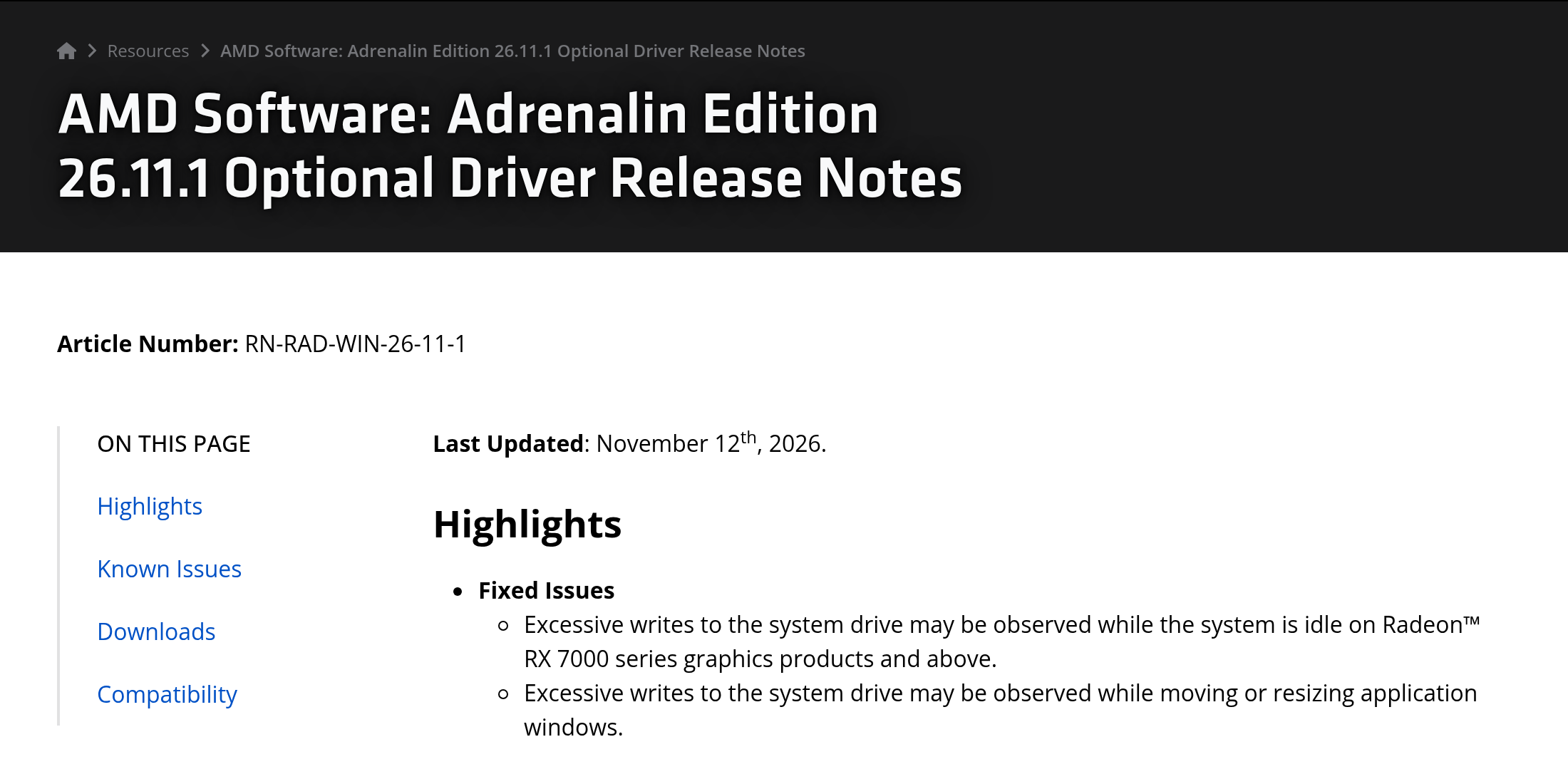
The Adrenalin 26.11.1 release notes list two fixes under “Fixed Issues.” The first: “Excessive writes to the system drive may be observed while the system is idle on Radeon RX 7000 series graphics products and above.” The second targets the same writes while moving or resizing a window, behavior close to what PC Gamer had already described, hundreds of writes with every mouse movement, judging the impact probably limited.
This AMD driver version is classified as “optional”: Windows does not offer it on its own, and you have to download the installer, as PC Gamer (Andy Edser) points out. AMD’s page mentions no WHQL certification, Microsoft’s compatibility label, and no certified version containing the fix had been found as of November 15. On laptops and all-in-ones, AMD recommends the manufacturer’s drivers, and states that this driver does not support handheld consoles.
AMD also published a support article (PA-365) covering the RX 7000 and RX 9000: “AMD has resolved this issue. Users experiencing this issue are recommended to install AMD Software: Adrenalin Edition 26.11.1.” Neither that article nor the release notes mention the RX 6000 or older cards. The repository reports persistent writes under 26.11.1 on two RX 6000 cards (RX 6650 XT and RX 6950 XT) and says Radeon Polaris and Vega (RX 400, RX 500, Vega) are not fixed, citing an AMD representative who said these cards might have to wait longer. These are user reports, not confirmed by AMD.
For these cards, the common workaround is to disable the AMD External Events Utility service: the writes stop, but Radeon hotkeys and some display behaviors may stop working, according to HWBusters. The repository offers an unofficial script that removes the SYSTEM account’s right to write to the file copy; it changes a system permission, and it is best to read its code before running it.






0 Commentaires
Aucun commentaire pour le moment. Soyez le premier à commenter !