

Updating the addon is not enough for the RestedXP guide to take you through Riverglades, the new zone in WoW Forever. The paid guide’s routes do not come with the addon: they live in a text file that you must download again from your account, then reimport. Here is the procedure, and what can be established publicly about this RestedXP update.
Commercial partnership
RestedXP sponsors Kami Labs videos. This article contains affiliate links: the site earns a commission on each sale, and you pay 10% less, applied automatically.
Riverglades is in the routes
Kami, the site’s founder and a user of the guide, noticed in game on November 13, 2026 that Riverglades is now built into the guide’s routes. Players who updated their RestedXP report the same: after reimporting the guide, the routes go through the zone, with many improvements and optimizations.
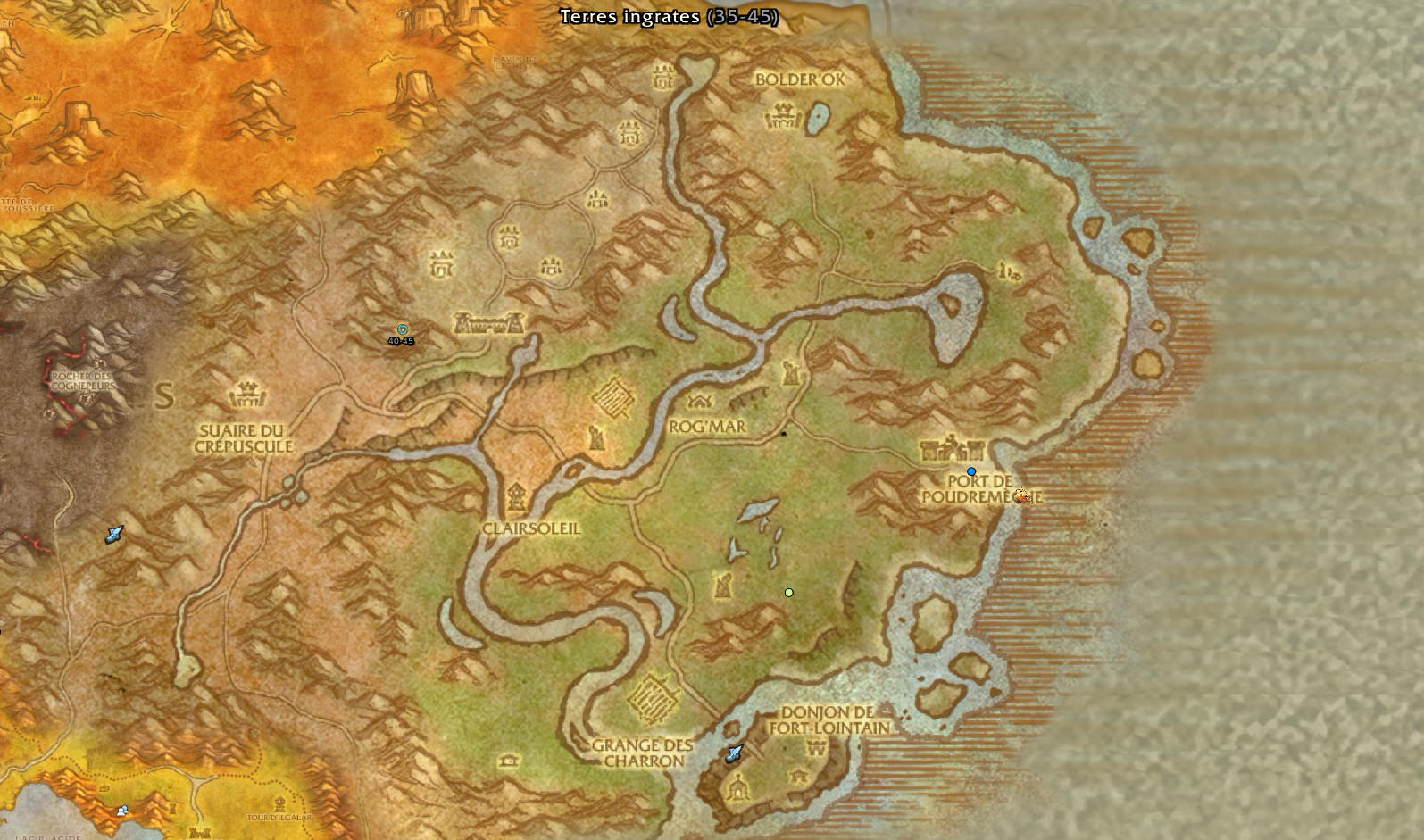
The detailed list of these improvements is not public, and we do not reconstruct it. The map above, captured in game by Kami, shows the zone and its locations (French client names): Clairsoleil, Rog’mar, Port de Poudremèche, la Grange des Charron, Bolder’ok, le Suaire du crépuscule and le Donjon de Fort-Lointain.
What the public RestedXP update notes say
On the addon side, RXPGuides version 4.11.36, published on GitHub on November 11, 2026, lists among other things “Added Riverglades FP” (the Riverglades flight point was added), along with fixes for Forever levels 1 to 22. It does not announce new routes for the zone.
That is expected: the RestedXP guide update does not go through the addon. The paid guide does not live there. It is downloaded from your account as a text file, which the addon reads on import. A new or reworked route therefore only appears in the game once that file has been downloaded again and reimported. Without this step, the updated addon keeps showing the old version of the guide.
Redownload the guide and reimport it, step by step
Four steps are enough, in this order. The second is done on the RestedXP website, not in the game.
- Update the addon via CurseForge, the RestedXP app, or the version published on GitHub.
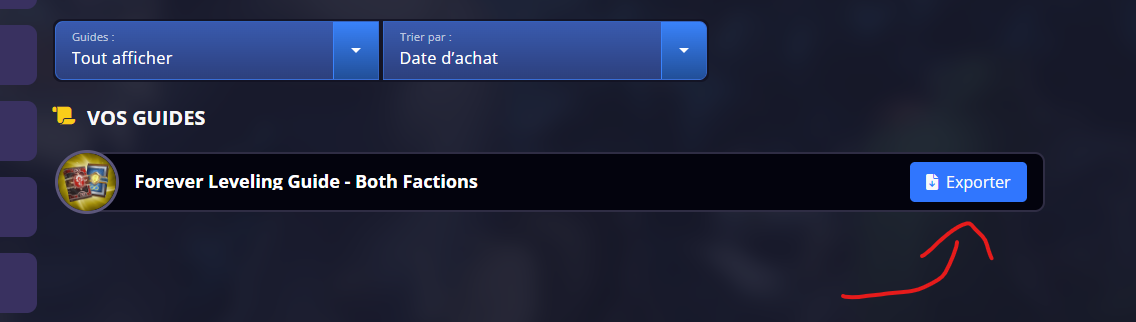
- Open the “Your guides” page on account.restedxp.com/guides and click “Export” next to “Forever Leveling Guide – Both Factions”. Choose your client’s language, as our article on RestedXP in French explains.
- Reimport the text file into the addon. The import details are in our installation tutorial.
- Reload the interface of the game so the new guide is picked up.
A reminder, taken from our previous article: the export window warns that downloading makes the purchase non-refundable. If you do not have the guide yet, do not click before you have decided.
What is not established
Riverglades is built in, but nothing proves that the higher levels are. Our previous update on the guide’s coverage stopped at level 35, and no public source confirms full routes up to level 60 so far. RestedXP has not published detailed notes for this step: what precedes rests on version 4.11.36 and on what was observed in game.
For dungeon runs, RestedXP’s dungeon guide remains separate. And if your class is looking for its specialization, our 27 leveling builds cover every choice.






0 Commentaires
Aucun commentaire pour le moment. Soyez le premier à commenter !